Categories
This page displays Category data in a list format.
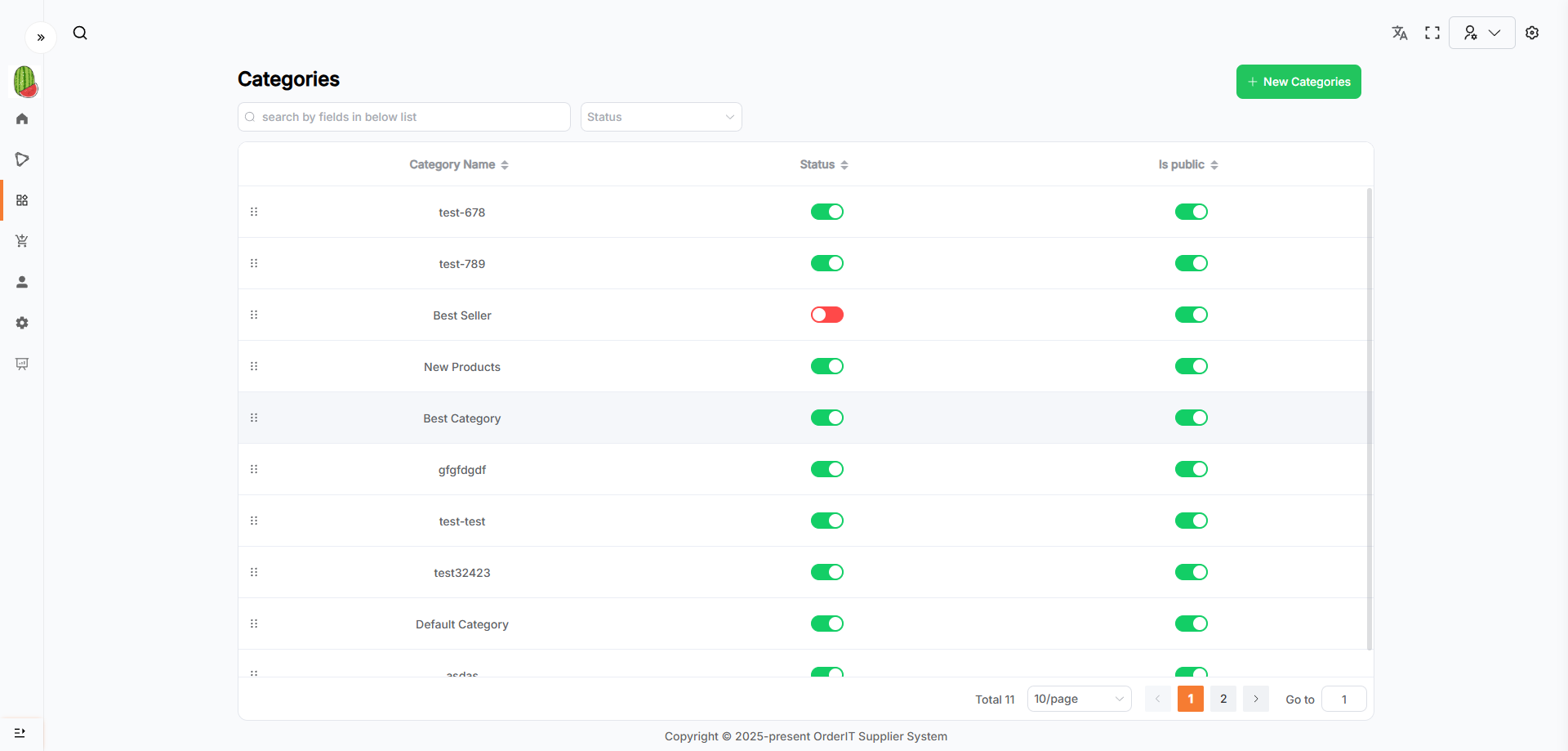
Features
- The search area allows fuzzy searching via keywords, filtering via dropdowns, or a combination of both.
- Click the New Categories button to navigate to the Add Category page.
- Click on a row in the list to go to the corresponding Category detail page.
- A paginator at the bottom-right of the list is used to display data in pages.
- Click the arrows in the table headers to sort by that field. Multi-field sorting is supported (based on the order of clicks).
- The leftmost column contains drag handles that allow changing the order of Categories.
Is Publiccontrols whether the Category is visible in Wordpress.
Add Category
This page allows you to add a new Category.
- Fill in the required form fields.
- The
Sortfield defines the order of the Category;Statusindicates whether the Category should be synced to Wordpress (requires proper configuration in Business Setting). - Click the Save button to submit the form. Upon success, you’ll be redirected to the list page.
- Click the Cancel button to clear the form and return to the list page.
Category Details & Edit
This page shows the saved Category information, and allows editing or deleting the Category.
-
The page opens in read-only mode by default. Click the Edit button to enter edit mode and update the Category information. Any changes must be saved via the Save button to take effect. After saving, the page will return to read-only mode.
- If the Category has already been synced to Wordpress, updating the
Statusfield will not affect its status in Wordpress; - If the Category is newly created with
StatusasDeactivate, and later changed toActivate, it will be synced to Wordpress if the Wordpress configuration is correct.
- If the Category has already been synced to Wordpress, updating the
-
In read-only mode, click the Delete button in the bottom-right corner to delete this Category:
- A confirmation dialog will appear;
- Click Yes to confirm deletion. Upon success, you will be redirected to the Category list (this action is irreversible);
- Click No to cancel the deletion and close the dialog;
- Note: Categories associated with a Product cannot be deleted.