Users
This module is used to manage Users under a Company.
- The
Statusfield controls whether the User can log in to the system. - The
Rolefield defines the User's role, and different roles have different permissions.
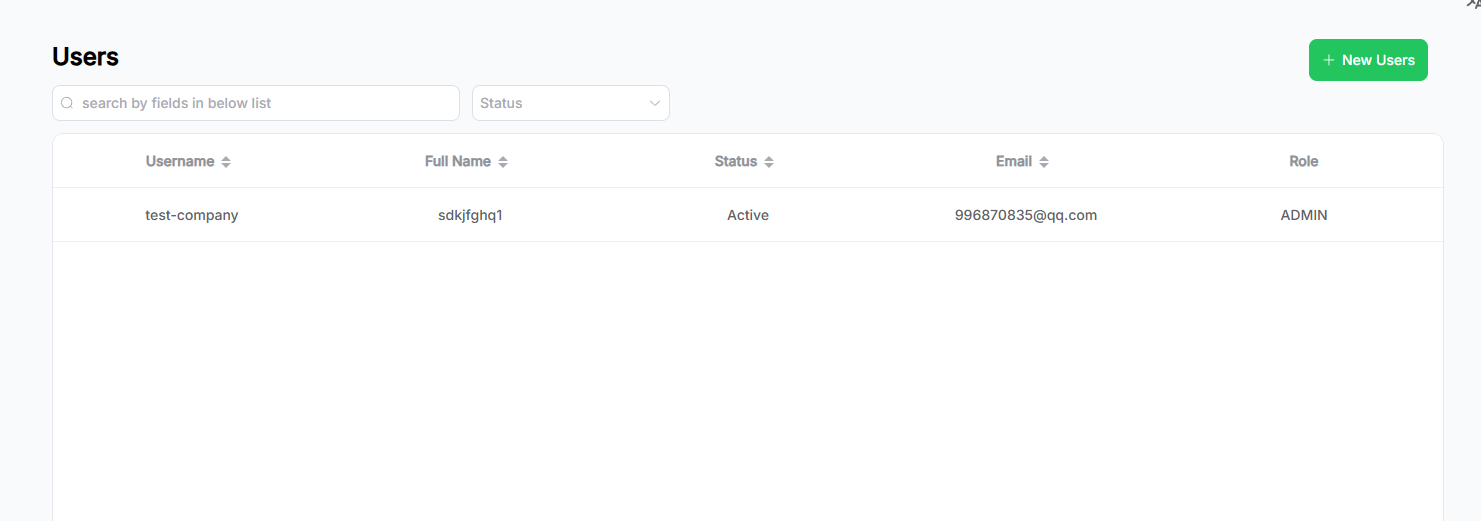
The page displays user data in a list format:
Features
- The search area supports keyword-based fuzzy search and dropdown filter conditions. Filters can also be combined.
- Click the New Users button to navigate to the Add User page.
- Click on a row in the list to view the corresponding User details.
- A paginator is located in the bottom-right corner to display data by pages.
- Click the arrow in the table header to sort by fields. Multi-field sorting is supported based on the order of clicks.
Add User
This page allows you to add a new User.
- Fill out the form fields.
- Click the Save button to submit. Upon successful submission, you will be redirected to the user list page.
- Click Cancel to clear the form and return to the list page.
User Details & Editing
This page shows the saved User information and allows editing or deletion.
- Admin users have full permissions but cannot modify other Admin accounts.
- User roles can only modify their own basic information.
Instructions
- The page opens in read-only mode. Click Edit to switch to edit mode and update user information.
All changes must be saved using the Save button to take effect. The page returns to read-only mode after saving. - In read-only mode, click the Delete button in the bottom-right corner to delete the User:
- A confirmation dialog will appear.
- Click Yes to confirm deletion. Upon success, you will be redirected back to the User list page (this action is irreversible).
- Click No to cancel and close the dialog.