Customer Registration Requests
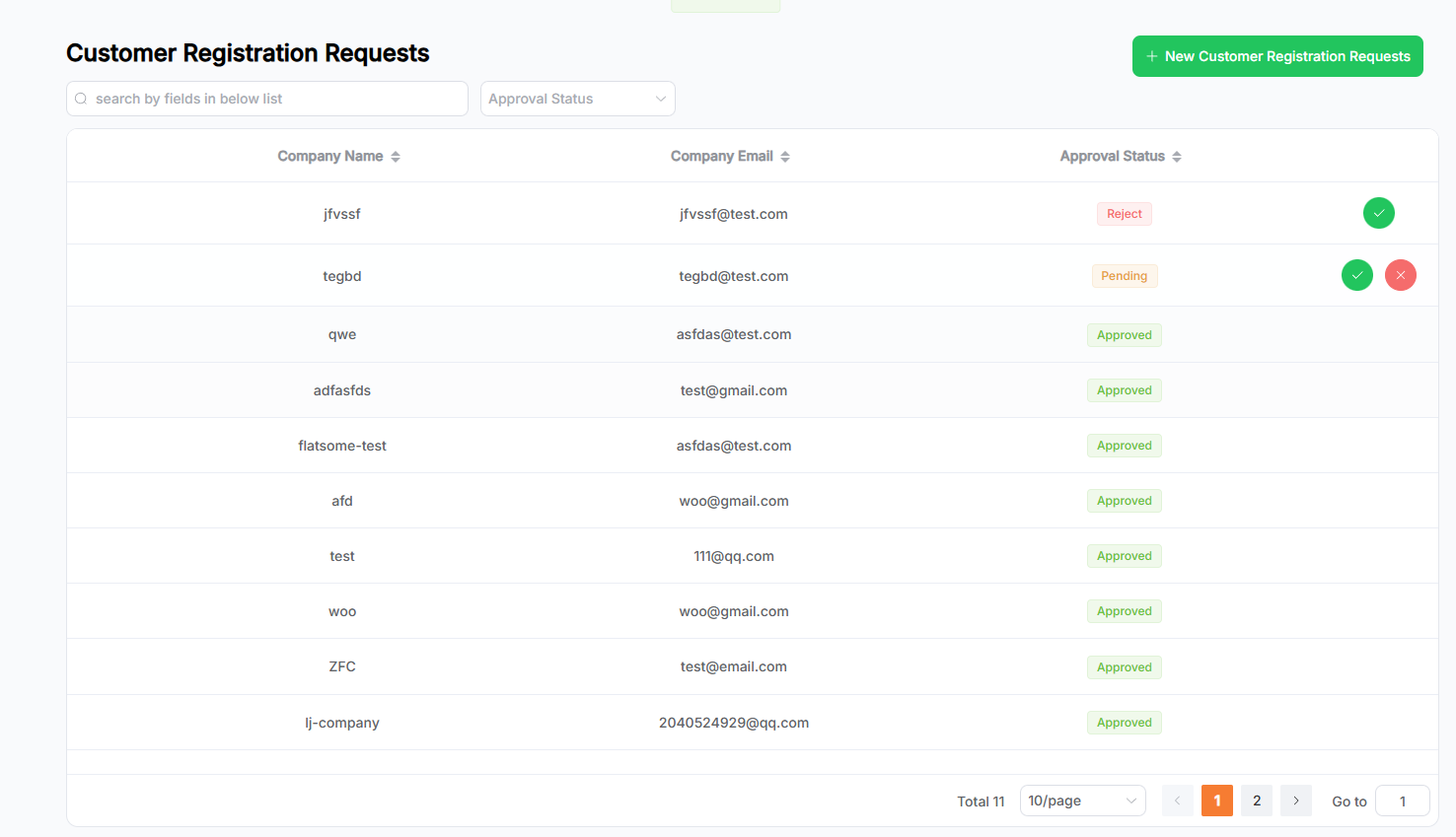
This page displays all Customer Registration Request data. The main purpose of this module is to handle registration approvals.
Features
- The search area allows fuzzy search using keywords, filter options via dropdowns, or a combination of both.
- Click the New Customer Registration Requests button to navigate to the Add Customer Registration Request page.
- Click on a row in the list to view the details of that request.
- Click the arrow in the table header to sort by fields. Multi-field sorting is supported (based on the order of clicks).
- The paginator at the bottom-right allows paginated data display.
- The rightmost column includes the approval actions:
- Pending status requests can be either approved or rejected;
- Rejected requests can be approved again;
- Clicking the action button performs manual approval;
- To enable auto approval, go to Auto Approval in Business Setting.
- Once approved, a corresponding User will be automatically created in the Customers module.
Add New Customer Registration Request
This page allows you to add a new Customer Registration Request.
- a. Fill in the required form information;
- b. Click the Save button to submit. Upon success, you will be redirected to the list page;
- Click the Cancel button to clear the form and return to the list page.
Customer Registration Request Details & Edit
This page displays the saved Customer Registration Request information. You can edit or delete the request.
- a. The page opens in read-only mode by default. Click the Edit button to enter edit mode and update the request details. Changes must be saved via the Save button to take effect. After saving, the page returns to read-only mode.
- b. In read-only mode, click the Delete button at the bottom-right to delete the request:
- A confirmation dialog will appear;
- Click Yes to confirm deletion. Upon success, you will return to the list page (this action is irreversible);
- Click No to cancel and close the dialog;
- Note: Requests that are associated with a Customer cannot be deleted.